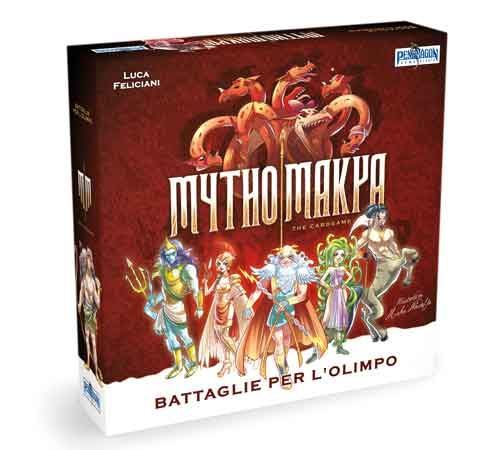
Mythomakya
Mythomakya is a card game about greek mythology designed by Luca Feliciani and illustrated by Mirka Andolfo. In the box, You'll find 110 cards that allow you to play two different games based on a similar game-play. The aim of the game is to gain more golden apples than your opponents. When the first player plays a card, the opponents have to play a card of the same color. The one with the highest strenght, wins and puts all the cards in his treasure. If a player cannot play the same color, he has to play another color and will always lose unless the color played is the moira, the dominant color choosen at the beginning of the game by one of the players. In the version “Triumph of Heroes” you’ll use heroes as Hector, Aeneas, Jason and Perseus to conquer more golden apples than your opponents. Cards are placed in front of the players in ten 3-card stacks. Only the first card of each stack is visible. When it's played, the card below can be revealed. In the version “God’s Challenge” deities from the Olympus will join the fight, such as titans, muses and orrible monsters with particular skills. In this version, indeed, each player can activate abilities of 30 special cards by eliminating from the treasure a number of golden apples. These abilities can change the game, since their effects are very strong. Moreover, each player has some divinity cards in his hand. As per the abilities, a player has to eliminate golden apples from the treasure to play the divinity cards. In this version, all the cards are displayed but only the first one of each stack is playable.
Meccaniche di Gioco
Statistiche
Tornei Attivi
Nessun torneo in programma
Torna più tardi per scoprire nuovi eventi!
Gathering Attivi
Nessun gathering con questo gioco
Scopri i gathering nella tua zona!
Meccaniche di Gioco
Dettagli Gioco
Puoi tenere Time For Boardgames sulla schermata Home senza scaricare niente.
In Safari tocca Condividi e poi Aggiungi a Home. La prima volta potrebbe chiederti di rientrare con il tuo account.
Un tocco e l'icona è sulla Home: nessuno store, nessuno spazio da liberare. Dal menu ⋮ di Chrome scegli Aggiungi a schermata Home.
Dal menu del browser scegli Aggiungi a schermata Home.